
5.1 Choosing a machine
JNEXT emulates four machines. Pick one with --machine, or from Machine >
Machine Type while running — switching restarts the machine, so load your
program afterwards.
--machine |
Machine | What you get |
|---|---|---|
48k |
ZX Spectrum 48K | 48K RAM, beeper only, original timing and contention |
128k |
ZX Spectrum 128K | Bank switching, AY sound chip, 128K timing |
plus3 |
ZX Spectrum +2A/+3 | 128K plus the +3's extended paging model |
next |
ZX Spectrum Next | Everything: Layer 2, sprites, tilemap, 3 AY chips, DMA, the copper, up to 28 MHz (default) |
Three things actually change with the machine type:
- Available hardware. A 48K has no AY chip and no memory paging; a Next has extra video layers and a much faster CPU. Software written for one generally will not run on an earlier one.
- Timing. Each machine has its own frame length and screen timing, which is what makes music and raster effects run at the right speed.
- Contention. On real 48K/128K/+3 hardware the video circuitry steals memory cycles from the CPU, slowing it in a very specific pattern. JNEXT reproduces this, which is why timing-sensitive software behaves as it does on the real machine. Contention only applies at 3.5 MHz — raise the CPU speed and it disappears, exactly as on a real Next.
Choose the machine the software was written for. Running a 48K game on the Next usually works, because the Next is backwards compatible, but the original machine is the faithful choice.
Every machine type needs an SD-card image, including 48K: that is where JNEXT reads the BASIC ROMs from, exactly as real Next hardware does. See chapter 3.

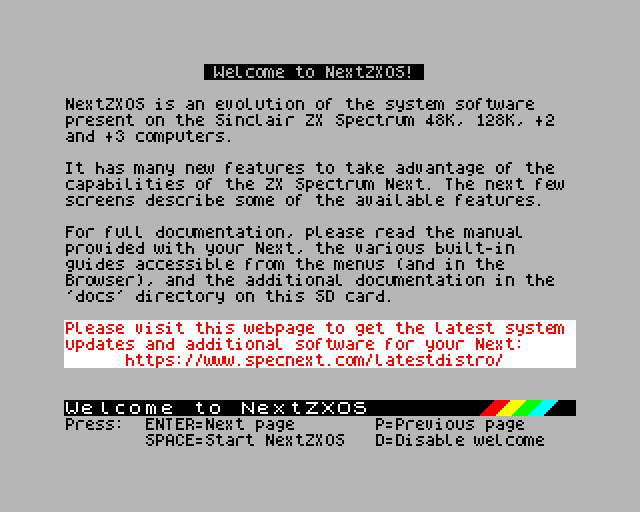
A 48K start-up screen, and the Next booting NextZXOS.
There is no Pentagon machine option. Pentagon timing exists only as something a program can ask for from inside the emulated machine, and it turns memory contention off.