
Watches
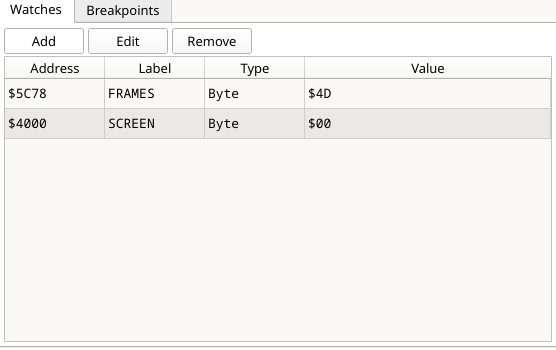
A list of addresses whose values you want to keep an eye on: address, your
label, the size, the live value and the Memory the address reads from now
(P00, P14: it follows the program's paging;
details). Add, Edit and Remove manage
the list; you can also add a watch from the disassembly right-click menu, or
from Watches ▸ Add Watch… in the menu bar. A watch you add by typing a
symbol is labelled with it; a z88dk C symbol is labelled with its C name
(counter, also when you typed _counter). A C variable is added from the Variables tab (right-click ▸
Watch): its row shows the variable's path, the C type, the value and where it is, is read at each stop (not while the
machine runs), and cannot be edited. A local says (in function) and reads in the newest call of that function, or
out of scope when there is none. See
Watches and watch sizes for what the sizes mean.