
Video
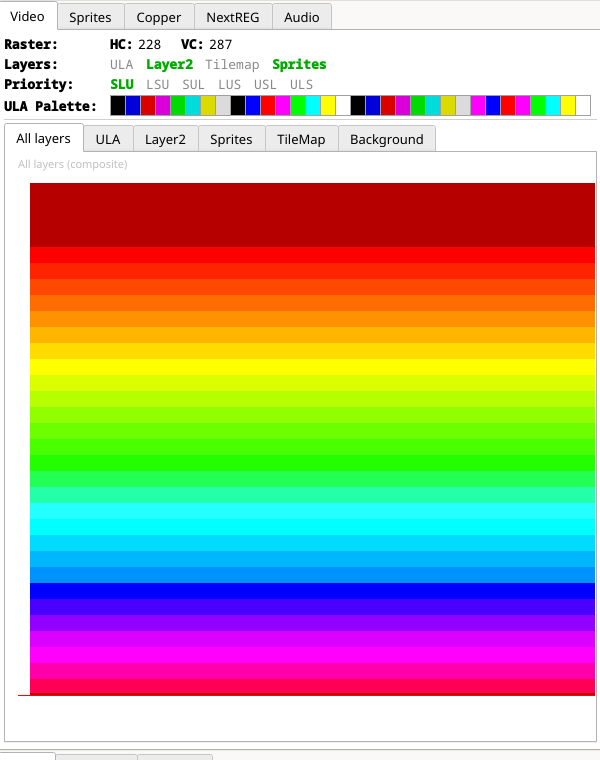
The state of the whole display pipeline, and a picture of each layer on its own.
The header shows the raster position (HC and VC, the raw hardware
counters) — only while paused — and, at all times, which layers are enabled
(green) or disabled (grey), which of the six priority orders
SLU LSU SUL LUS USL ULS is selected, and the 32 reachable entries of the
active ULA palette as swatches.
Below that, one tab per view:
| Tab | Shows |
|---|---|
| All layers | The full composite — the same picture as the emulator window |
| ULA | The ULA screen, with Primary (bank 5) / Shadow (bank 7) selectable |
| Layer2 | Layer 2, with Active bank / Shadow bank selectable |
| Sprites | The sprite layer alone |
| TileMap | The tilemap layer alone |
| Background | The NR 0x4A fallback colour — the one thing on screen that belongs to no layer |
Two conventions to know. Rows the raster has not yet reached in the current frame are drawn dark, so you can see exactly how much of the frame is done at the point you stopped — pause mid-frame and the bottom of the picture is dark. Transparent pixels are drawn as a light checkerboard, the way an image editor shows them, which makes it obvious whether a layer is empty or merely transparent.
The views replay the frame's per-scanline register changes rather than drawing everything with the register values that happen to be live at the pause. That is what makes raster effects — Layer 2 parallax splits, per-line palette gradients, tilemap scroll splits — appear here as they do on screen. Only the visible tab is rendered.